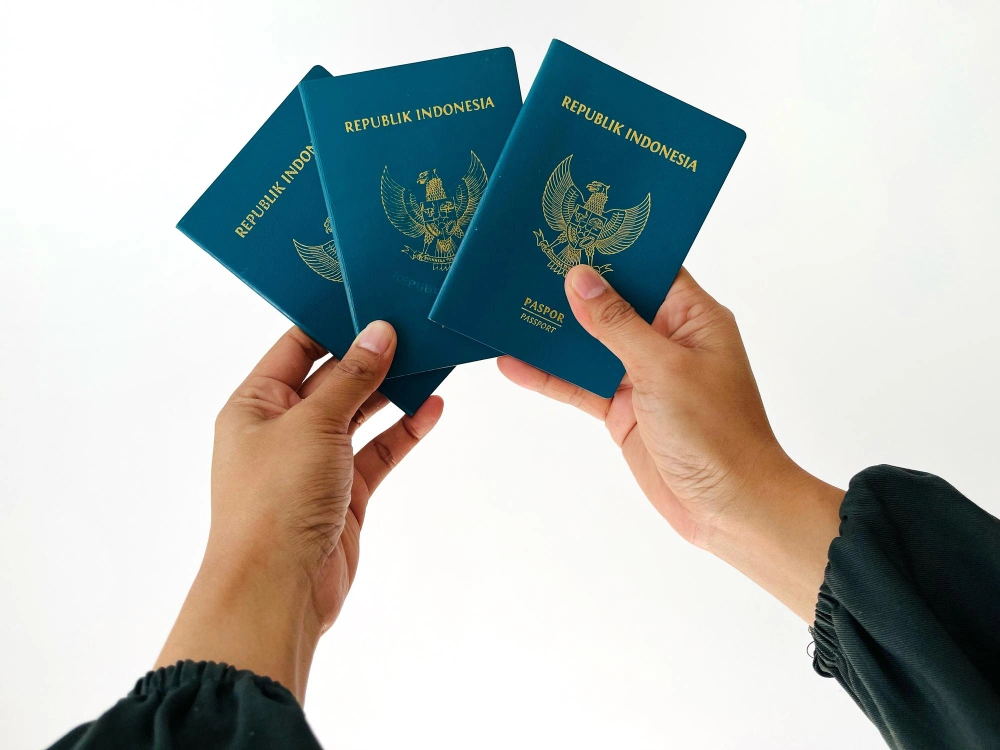
Planning a vacation, working abroad, or pursuing studies overseas? Before you pack your bags, there's one essential document you need to sort out first — your passport. The great news is that applying for an Indonesian passport has never been easier. Thanks to the M-Paspor app developed by the Directorate General of Immigration, you can now handle the initial registration process entirely from your phone — no queuing required.
Here's your complete guide to applying for a passport online in Indonesia, including the documents you'll need and the latest fees.
Passport Requirements
A passport is an official identity and travel document issued to Indonesian citizens (WNI) for international travel. Applications can be submitted by Indonesian citizens both within the country and abroad.
Indonesia issues two types of passports: electronic passports (e-passport) and non-electronic passports, both managed through the Immigration Management Information System. You can apply either manually or online by preparing the following documents:
- A valid electronic ID card (e-KTP), or a certificate of relocation overseas
- An active Family Card (Kartu Keluarga/KK)
- One supporting document such as a birth certificate, marriage certificate, diploma, or baptism certificate — it must include your name, date and place of birth, and parents' names. If this information is missing, attach a statement letter from the relevant authority
- Indonesian citizenship certificate (for naturalized citizens) or a citizenship declaration letter as required
- Official name change document from an authorized official, if applicable
How to Apply for a Passport Online via M-Paspor
The M-Paspor app is an upgraded version of the previous online passport queue system. It's designed to make the entire process faster, more convenient, and more transparent — you can submit your application and upload documents directly, without waiting for staff to manually enter your data.
Here's a step-by-step guide:
- Download M-Paspor from the Play Store (Android) or App Store (iPhone)
- Create an account by entering your personal details, then activate it following the in-app instructions
- Log in using your registered email and password. If you run into issues, try logging out and back in
- Select "Pengajuan Permohonan" (Submit Application) and choose between regular or expedited processing
- Select your target immigration office based on your preferred location
- Choose your passport type — standard or e-passport
- Upload your e-KTP as a .jpg or .jpeg file — make sure it's clear and legible
- Fill in your personal details as shown on your e-KTP
- Answer supplementary questions about previous passport ownership, the purpose of your application, and your destination country
- Enter an emergency contact number — a family member or close relative based in Indonesia who can be easily reached
- Complete the applicant data and upload all required supporting documents (clear photos or scans)
- If applying together with family members under the same KK, you can add up to five applicants in a single submission
- Select your preferred date and time for visiting the immigration office
- Copy the billing code from your application details to proceed with payment
- Complete payment within 120 minutes via mobile banking, e-wallet, post office, or national bank
- Once payment is verified, download and print your M-Paspor Registration Proof — or take a screenshot if the file can't be downloaded
- Arrive at the immigration office on schedule with your original documents and photocopies. Note: if you miss your appointment, the application will be automatically cancelled and no refund will be issued
What Happens After You Submit?
Once your application is submitted, here's what to expect at the immigration office:
- An officer will verify the completeness and authenticity of your documents
- You'll complete the payment for the passport fee
- Your photo and fingerprints will be taken at the office
- You'll go through a brief interview about your personal data and reasons for applying
- Immigration officers will verify your data
- Finally, your application goes through adjudication before the passport is officially issued
Passport Fees (Updated 2024)
Based on Government Regulation No. 45 of 2024, effective from December 17, 2024, here are the current passport fees:
| Passport Type | Validity | Fee |
| Non-electronic (standard) | 5 years | Rp350,000 |
| Non-electronic (standard) | 10 years | Rp650,000 |
| E-passport | 5 years | Rp650,000 |
| E-passport | 10 years | Rp950,000 |
| Travel Document (SPLP) – Indonesian citizen | — | Rp100,000 |
| Travel Document (SPLP) – Foreign national | — | Rp150,000 |
Same-day expedited service is available for an additional fee of Rp1,000,000 on top of the standard passport rate.
Additional charges also apply for lost or damaged passports: Rp1,000,000 for a lost passport and Rp500,000 for a damaged one.
Common M-Paspor Issues & How to Fix Them
Running into trouble with the app? Here are the most common problems and their solutions:
1. Payment Status Not Updating Check your registered email for a confirmation or registration letter. If the status still hasn't changed by your appointment date, head to the immigration office with your documents, payment proof, and an M-Paspor screenshot.
2. Expired, Failed, or Late Payment If your payment window has passed or failed, simply resubmit a new application through M-Paspor after 1×24 hours.
3. Invalid Email Double-check for typos in your email address. If the issue persists, try registering with a different email account.
4. Forgotten Password Tap "Forgot Password" on the app's login screen, enter your registered email, and a One-Time Password (OTP) will be sent for verification.
5. Request Time Out (RTO) Log out of the app, then uninstall and reinstall M-Paspor before trying again.
6. Error: "Type 'Null' Is Not a Subtype of Type 'String' in Type Case" Open M-Paspor, go to the homepage, select "Pengajuan Permohonan", and fill in the form completely.
7. Registration Letter Won't Download Take a screenshot of the application page within the app and print it as a substitute for the registration letter. Make sure to still arrive at the immigration office on time.
8. No Available Schedule in the App Delete your old application draft and submit a new one. You can also try switching to a standard passport type or selecting a different immigration office to find an available slot.
Applying for an Indonesian passport online is now more straightforward than ever — as long as you know the steps, have your documents ready, and stay on top of payment deadlines.
If you're gearing up for an overseas trip, study program, or international business venture, you'll likely need more than just a passport — a solid financial plan matters too. Should you need extra funds, BFI Finance offers flexible financing options backed by motorcycle BPKB, car BPKB, or property certificates (house/shophouse).
All BFI Finance services are officially licensed and supervised by the Financial Services Authority (OJK), so you can plan your journey with full confidence. Because when it comes to your dreams, #SelaluAdaJalan — there's always a way.